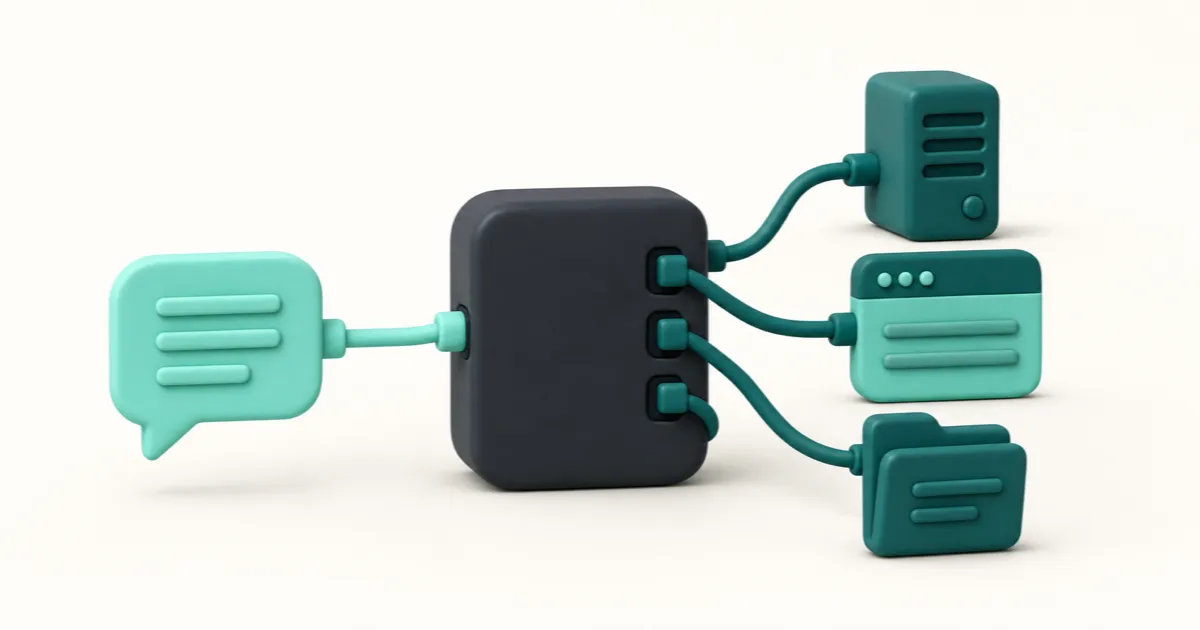
MCP, the Model Context Protocol, is an open standard that lets an AI assistant connect to outside tools and services in one consistent way instead of a custom integration per app. A service speaks MCP once and works with any assistant that speaks it. For a website, MCP is what lets the assistant that built your pages also publish them.
Written for people who keep meeting the acronym in setup instructions. No code, no setup steps.
If you already know what MCP is and just need to connect your tool, the connection guides cover each one, with longer walkthroughs for Claude Code, Cursor and Codex.
What MCP actually is
MCP is a standard, not a product. Nobody sells you MCP and nothing is called "an MCP." It is an agreed way for two pieces of software to talk: on one side an AI application, on the other a service offering the tools and data a model cannot reach on its own.
Anthropic published it in November 2024 as "an open standard that enables developers to build secure, two-way connections between their data sources and AI-powered tools." The protocol's own documentation calls it "an open-source standard for connecting AI applications to external systems," and reaches for a hardware comparison: a USB-C port for AI applications, one connector shape instead of a drawer of cables.
The port is not the interesting part. What matters is that the number of adapters stopped growing.
The problem it was built to solve
Before MCP, connecting an assistant to anything meant building that connection from scratch, once per pairing. Anthropic's announcement put the cost plainly: "Every new data source requires its own custom implementation, making truly connected systems difficult to scale."
The arithmetic is what hurt. Every assistant times every service was separate work, and none of it transferred: a calendar integration written for one assistant did nothing for the next. Multiply that across every tool anyone might want and most connections never got built.
You felt the result without seeing the cause. A model could describe in convincing detail how to move a file or edit a page, then could not do it. It could talk about your work and never touch it.
How it works: a host, a client, and a server
Three names come up constantly. The protocol's architecture overview defines them:
- The MCP host is the AI application you are sitting in, Claude Desktop, ChatGPT, Cursor, an editor. It coordinates everything.
- A client is the part of the host that holds one connection open. One client per server, so three connected services means three clients.
- An MCP server is the program on the other end. Despite the name it need not be a machine in a data centre; it can be a small program on your own laptop.
A server advertises what it can do in three flavours: tools, actions the assistant can take; resources, data it can read; prompts, ready-made templates. The assistant asks what the server has, gets a list, and works from the list.
Underneath, the messages are ordinary JSON-RPC, carried either locally between programs on one machine or over a streamable HTTP connection to a service elsewhere. That is the whole of the plumbing.
MCP and an API are not the same thing
This is the question people ask most, and the usual answer overstates it. An MCP server does not replace an API. In practice it often sits directly on top of one, passing requests to the same place a developer would have called.
The difference is who reads the documentation. With an API, a person reads the docs, decides which calls matter, writes the code, handles the errors and ships it, and nothing works until they do. With MCP the server describes itself, here are my tools, here is what each needs, here is what it returns, and the assistant reads that description when it needs it. The integration work happened once, on the server's side, for everyone.
So the honest framing is not "MCP beats APIs." MCP moved the integration work from the point of use to the point of supply.
What a real MCP server contains
Most explanations stop at "the server exposes tools" and use a weather lookup as the example, which leaves the useful question unanswered.
Here is ours, in full. Birta's hosted connection gives an assistant a bounded set of named tools and nothing else. It can list, create and rename projects; show visitor stats; manage versions and rollbacks; create and edit a draft file by file; declare lead forms; and read the leads those forms receive. It cannot delete a project or a lead. The hosted and local inventories differ, and the Birta MCP reference keeps both current.
Two things stand out. Everything is named and specific, so there is no general "do something to my account" tool and an assistant cannot invent one. And the list describes exactly one job: a connection built for publishing websites cannot read your email, because nothing in it reads email.
The reverse is worth seeing once. Notion's hosted server gives an assistant a deep reach into a workspace's content and nothing for putting a page on the web. The two surfaces side by side show how much a server's shape tells you about what it is for.
If you have met the term Agent Skills and wondered whether it is the same idea, it is not. A Skill tells an assistant how to do a job; an MCP server gives it the hands.
Why this matters when what you want is a website
Here is the part the general explainers skip, because they are not thinking about your problem.
An assistant has been able to build a website for a while: the HTML, the stylesheet, the copy. Then it stopped, because the finished files sat somewhere it could not leave and getting them onto the internet was a separate job with separate tools.
MCP closes that gap from the inside. The same assistant that wrote the files hands them to a host and gets an address back, with no export, no dashboard and no pipeline. The change is not that publishing became more powerful, it is that publishing stopped being a different activity from building.
Plenty of places to put a website still have no connection at all. Google Sites is the clearest example: its only API was deprecated and never reached the current version. Others went the other way, like the app host InstaPods, so that comparison turns on what the tools reach rather than whether they exist.
This also explains something that surprises people: it works from an ordinary chat, not only a developer's editor. The assistant does not need to run on your computer, it needs a connection to a service that will accept one. What that publishing layer should look like is a separate argument, and why the simple case ever got complicated is a different one again.
Two ways in, and why you should not have to choose
There is one real distinction between connections, and it is not the one people get told about. Some AI tools can read and run things on your computer; some cannot, because they live in a browser tab. That decides everything: a tool with access to your files starts a connection locally and hands over whole folders, while a tool without it connects to a hosted address and works file by file on a draft.
We got this wrong at first. Our landing page used to ask people to pick between a "chat" and a "coding agent" before showing them anything, which is a question about our architecture rather than their work. There is now one line to paste into whichever tool you use: it reads the site's machine-readable index and either connects itself or tells you which setting to open. To set it up by hand, the guides are organised by tool name, and what the agent does with that line is traced step by step.
Who is behind MCP, and who supports it
MCP started at Anthropic, and the first companies to build on it were mostly developer tools, with Block, Apollo, Zed, Replit and Sourcegraph named in the announcement.
It did not stay one company's project. On 9 December 2025 the Linux Foundation announced the Agentic AI Foundation, formed with founding contributions including Anthropic's Model Context Protocol, Block's goose and OpenAI's AGENTS.md. Members include Amazon Web Services, Cloudflare, Google, Microsoft and OpenAI, and the stated point was keeping the protocol "open, neutral, and community-driven as it becomes critical infrastructure for AI."
For a standard that matters more than adoption numbers: the assistant you use next year is unlikely to need a different connector.
What to watch out for
MCP is a way to connect things, which makes it a way to give something access it did not have. Three points are worth holding on to.
A connection acts with your permission. When an assistant calls a tool, the service sees an authorised request, so the question is never whether the AI can be trusted in the abstract but what this connection is allowed to do.
Connect servers you have a reason to trust. Anyone can write one, and a server's description of its own tools is written by whoever built it.
Look at what a server says it can do. That list is public by design, and a connection whose tools are broader than the job it was hired for is a fair thing to be suspicious of.
Ours asks for access in your browser: you sign in with a one-time code sent to your email and approve it there. There is no key to paste, and the first request from an unauthorised assistant is refused rather than queued.
The short version
The useful thing about MCP is not the protocol, which is deliberately boring. It is that the gap between an assistant describing work and doing it got smaller, and for anyone who has ever had a finished site with nowhere to put it, that gap was the whole problem.
If a site is what you are after: connect the tool you already use, ask it to publish, and you get a live HTTPS address. The last ten published versions are kept, so a bad change rolls back, and your own domain can point at it. Pick your tool and it walks you through the rest.
Start in Birta's chat, connect your tool when you want
Describe it in Birta's chat and its agent builds and publishes it. Or connect the agent you already use.