
Claude makes slides in any conversation: ask for a deck, and it builds one you can edit, present, share or download. Anthropic lists the feature as available on every plan, on the web, in the desktop and mobile apps and in Claude Code. The catch is sharing: people you invite to a deck inside Claude need a Claude account. For a client or an investor without one, the deck has to leave Claude, as a file or as a web page.
How to make slides in Claude
- Ask for the deck in a conversation, with the audience and the length: "a 10-slide pitch for a seed investor". You can also start from Artifacts in the sidebar, then Make something new.
- Give it the material: attach the files, numbers and screenshots the deck should use. Claude may ask questions or show an outline before it builds.
- Edit. Change text by hand, select a part of a slide and send a comment to Claude, or ask for changes in the chat.
- Finish: add speaker notes, then Present, Share or Download.
On a Team or Enterprise plan the owner can switch the feature off, in Organization settings under Artifacts. If it is missing, that is the first place to check.
Download, export and share
- Download gives PowerPoint (with the deck's fonts or with basic ones), PDF, a web page (.html), or the current slide as a PNG.
- Google Slides works through Share, then Export, if Google Drive is connected: it creates an editable copy in Drive.
- Share lets you choose who can view, comment or edit. Invitees sign in with a Claude account, and on Team and Enterprise the owner decides whether sharing outside the organization is allowed.
PowerPoint export has limits worth knowing before a meeting: charts, icons and shapes become pictures, and slide transitions are dropped. A chart that someone will want to edit in PowerPoint is better rebuilt there.
A prompt for a deck that makes its point
Claude builds a tidy deck from a vague request, but a tidy deck is not the same as a convincing one. These instructions change the result most:
Make a [number]-slide deck for [who opens it]. After the last slide they should [decide or do what]. It will be [presented live by me / read alone from a link]. Title every slide with its claim, not its topic: "Churn fell to 2% after onboarding", not "Churn". Someone who reads only the titles should get the whole argument. One idea per slide. Below the title, put the evidence: one chart, one number with its period and source, or one quote. Put the ask on its own slide, with my contact. Use only the numbers in my material. Where one is missing, leave a visible placeholder and list the gaps at the end. Material: [paste notes, numbers, or attach files]
The choice between "presented" and "read alone" matters more than it looks. A presented deck can be sparse, because you say the rest. A deck sent by link is read without you, so it needs full sentences and an ask nobody has to guess.
For an investor deck, the pitch deck template lists the ten slides and what each has to prove, and the pitch deck examples show a finished deck for each funding stage.
Send the deck to people without a Claude account
A deck sent to an investor, a client or a conference organizer usually goes to someone outside your Claude workspace. Two ways to give them a link that opens anywhere:
- Download the web page (.html) and publish it: paste it into Birta's HTML publisher and you get an address that opens in any browser, on a phone too.
- Let Claude publish it itself. With the Birta plugin for Claude installed, ask for the deck "on Birta". The plugin carries a presentation skill: Claude builds the deck as one web page with a separate address for every slide, and sends you the link.
Here is a deck made that way, a made-up support team update in seven slides:
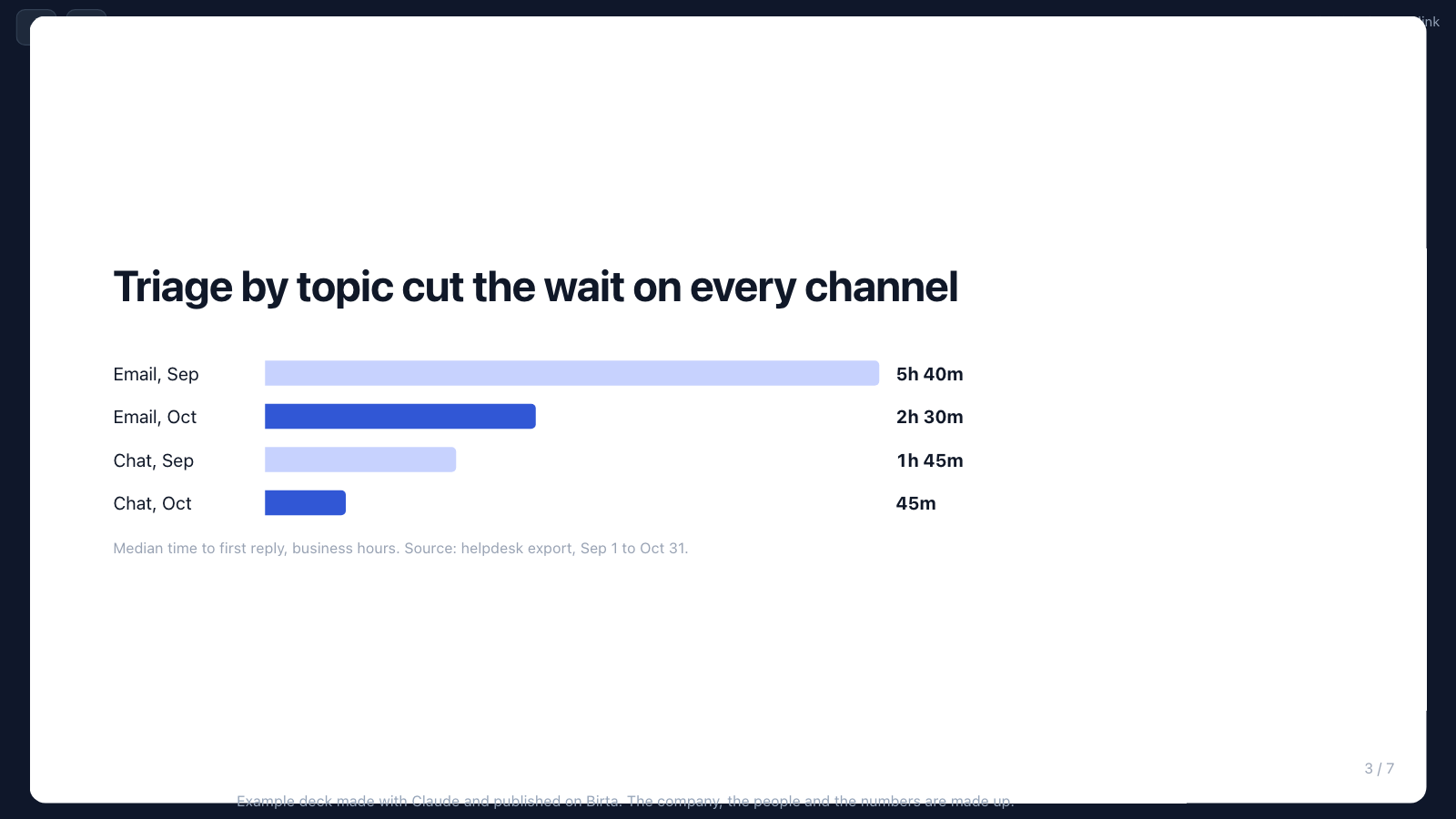
Open the example deck. Arrow keys or a swipe
move between slides, and the address changes with each one, so a message can point at
#slide-6, the ask. Readers leave a remark on the slide they mean, without an account.
When you ask Claude to work through the remarks, the next version goes to the same link.
No Claude subscription? Birta has its own agent that builds the same kind of deck from your notes: start a project and ask for a presentation.
PowerPoint file or web deck
- PowerPoint when the deck goes into a company template, someone else edits it in Office, or you present from a conference laptop.
- Web deck when it is read alone from a link, opened on phones, or sent out for remarks before a decision. It is one address, so nobody works from an old attachment.
Publish Claude's decks as a link
Claude builds the deck and publishes it at a link anyone opens and comments on, slide by slide.