
What goes in an executive summary
An executive summary is the part of a long document that someone reads instead of the document. So it opens with what you want them to decide, then gives just enough to trust that decision: why you looked, what you found with the numbers, the options you weighed, what it costs and returns, the risks, and who does what next. Write it last, from the finished document, and keep it to a page or two.
Here is that format filled in for a made-up office lease review, as a live page:
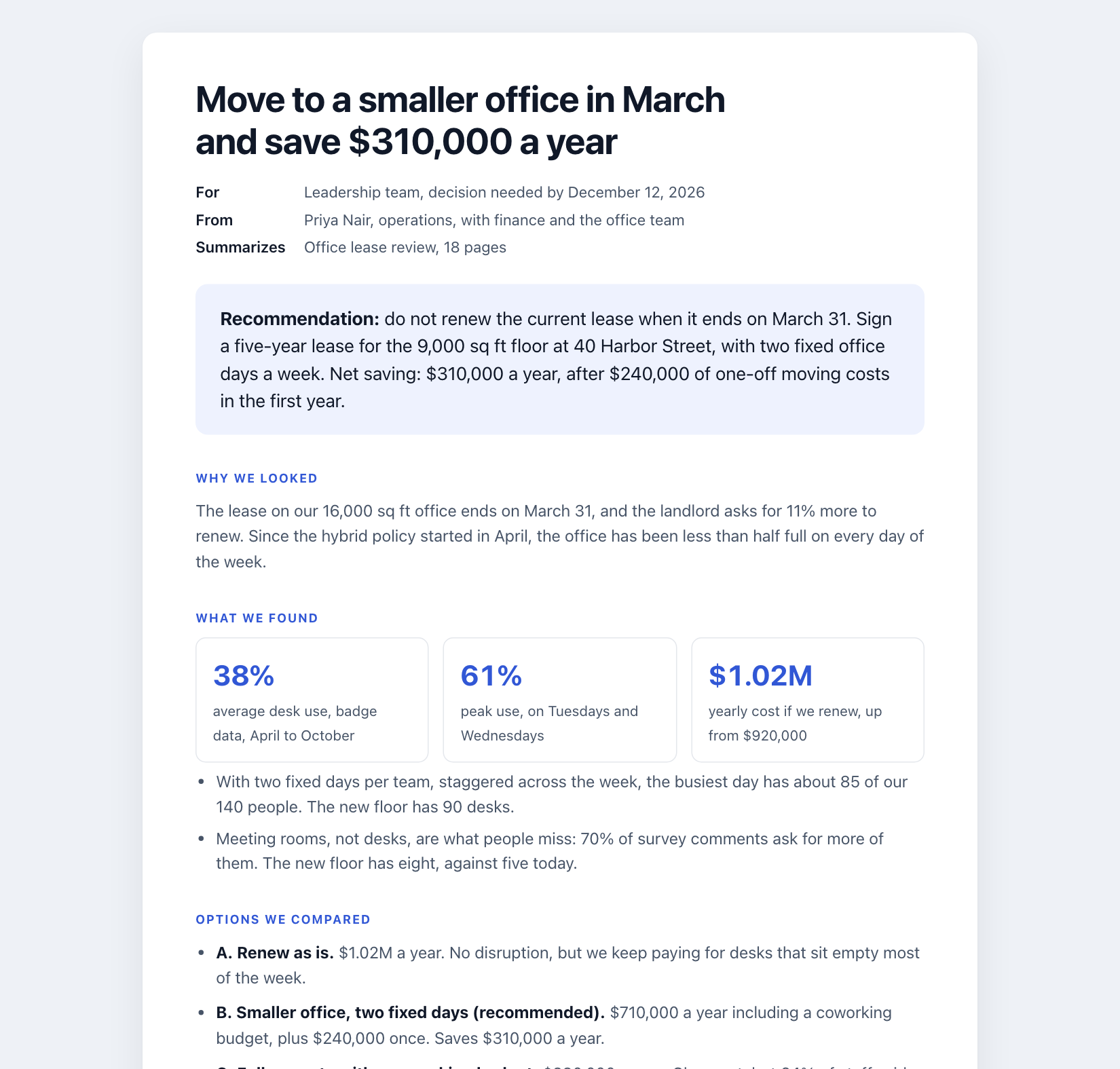
Open the finished summary, then copy the template below.
The executive summary template
[HEADLINE] The decision and its main effect, in one sentence.

For: [who decides], decision needed by [date]
From: [your name, team]
Summarizes: [document name, length]

RECOMMENDATION
[What you ask the reader to approve, with its cost and what it returns.]

WHY WE LOOKED
[Two sentences: the problem or the deadline that started the work.]

WHAT WE FOUND
- [Number] [what it measures, source, period]
- [Number] [what it measures, source, period]
- [Number] [what it measures, source, period]
- [The finding that explains the numbers]

OPTIONS WE COMPARED
A. [Option]: [cost], [main upside], [main downside]
B. [Option, recommended]: [cost], [why it wins]
C. [Option]: [cost], [why it loses]

COST AND RETURN
[One-off cost, yearly cost, and when the return covers it.]

RISKS
- [Risk]: [what we do if it happens]

NEXT STEPS
- [Step] | [one owner] | [date]

The full document: [where to find it]
The template is plain text, so it pastes into Word, Google Docs, Notion or an email and keeps its order. The prompt further down hands it to an agent as the format. The Word version has the parts as headings and the options as a table, and opens in Google Docs too:
How to fill in each part
- Headline. State the decision and its effect: "Move to a smaller office in March and save $310,000 a year", not "Office lease review". A reader who stops here still knows what you want.
- Recommendation. One paragraph that can be approved as written. If it needs a second paragraph to explain, the decision is not clear yet.
- Findings. Three numbers, each with its source and period, then the one finding that explains them. The rest of the evidence stays in the full document.
- Options. Include the ones you rejected and why. A reader who sees only your choice asks about the others in the meeting.
- Risks. Name the one or two that could change the decision, each with its fallback.
- Next steps. One owner and a date per step. The first step is usually the approval itself.
Leave out the method, the history of the project and any fact that is not in the full document. A summary that adds new claims stops being a summary.
Three versions of the template
The order stays; what each part holds changes with the document.
- Report or project review. As above. The reader is a manager or a leadership team, and the recommendation is a decision they can make this month.
- Business plan. The reader is an investor or a bank. Replace the options with the market and the team, make the recommendation the ask (how much, for what, what they get), and put the financials where cost and return are.
- Proposal to a client. Open with the client's problem in their words, then your solution, the price, the timeline and what they need to approve. The client reads this part and forwards the rest to whoever checks the details.
Each version is filled in, for a made-up software company, in four executive summary examples you can open. If the summary must stand alone on one page, with a chart and a visual layout, see the executive summary in our one-pager examples.
Write it from the full document
An agent is good at this job, because a summary is mostly cutting and reordering. Paste the report into Birta's chat, or into the agent you already use with Birta connected:
Write an executive summary of the document below and publish it on Birta as a single page. Reader: [who decides, and what they care about most] Decision: [what I want them to approve, if I already know] Format: a headline that states the decision and its effect; who it is for, who wrote it and what it summarizes; the recommendation with cost and return; why we looked in two sentences; three key numbers with source and period, then the main finding; the options compared, including the rejected ones; cost and return; the one or two risks that could change the decision; next steps with one owner and a date each. Use only facts from the document. If the recommendation, a cost or an owner is missing, leave a visible placeholder and list the gaps at the end of your answer. Document: [paste the report or attach the file]
Check two things before you send the link: that every number matches the full document, and that the recommendation says what you would say in the room. An agent summarizes what is written, so if the report hedges, the summary will too.
Send it as a link
The summary is a web page with its own address, and it opens on a phone without a
download. Readers leave a remark on the line they question, without an account,
and the revised summary goes to the same link, so nobody decides from an old attachment.
Each part of the example has its own anchor, so a message can point at one of them:
executive-summary-example.birta.link/#options.
Turn a report into a summary
Paste the report into Birta's chat. The agent writes the summary and gives you a link the readers can comment on.